Process Mining for ERP: See How Order-to-Cash and Procure-to-Pay Really Run
Your process maps show how work should flow. Process mining shows how it actually flows, from the ERP's own data. Here's what the research says and how to start.
Every ERP project has process maps: neat swimlane diagrams of order-to-cash and procure-to-pay. Then go-live happens, and real work starts drifting from the diagram. Orders get edited after confirmation, invoices loop back for approval, and nobody can say exactly where the time goes.
Process mining closes that gap. It reads the event logs your systems already record (who did what, to which record, when) and rebuilds the process as it actually runs.
What the research says
Deloitte's 2025 Global Process Mining Survey found:
- 48% of organizations report company-wide adoption, up from 45% in 2021
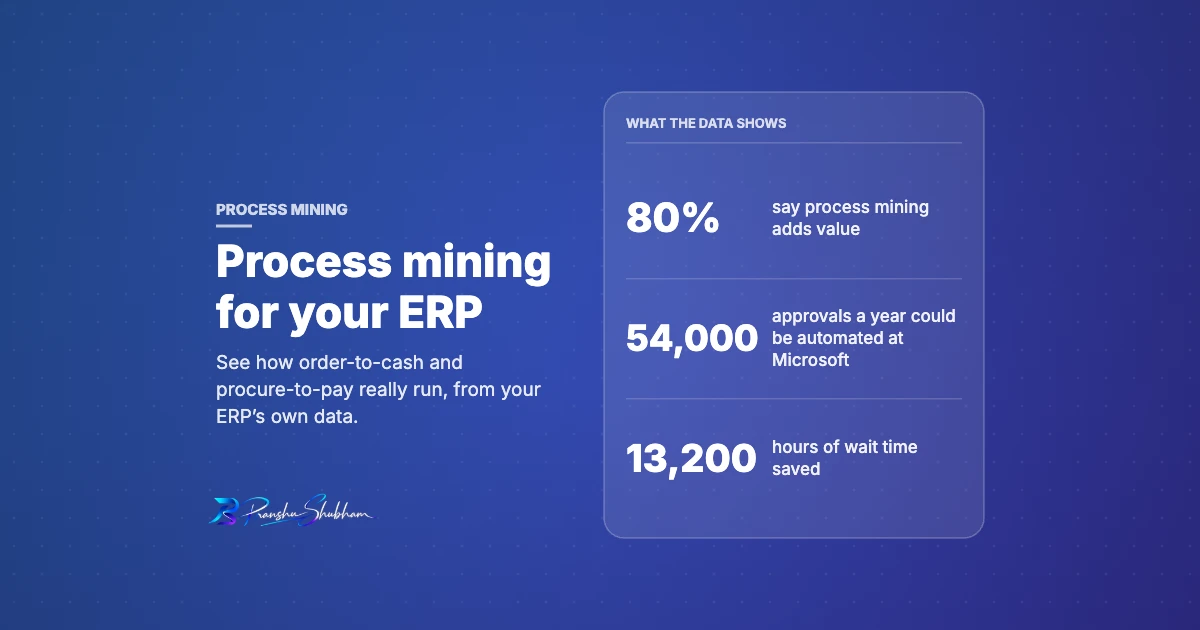
- 80% agree or strongly agree that process mining delivers added value
- 25% already use AI together with process mining, and 74% plan to include AI in future initiatives
- Lack of management support is now cited as a barrier by 41%, up from 26% in 2021
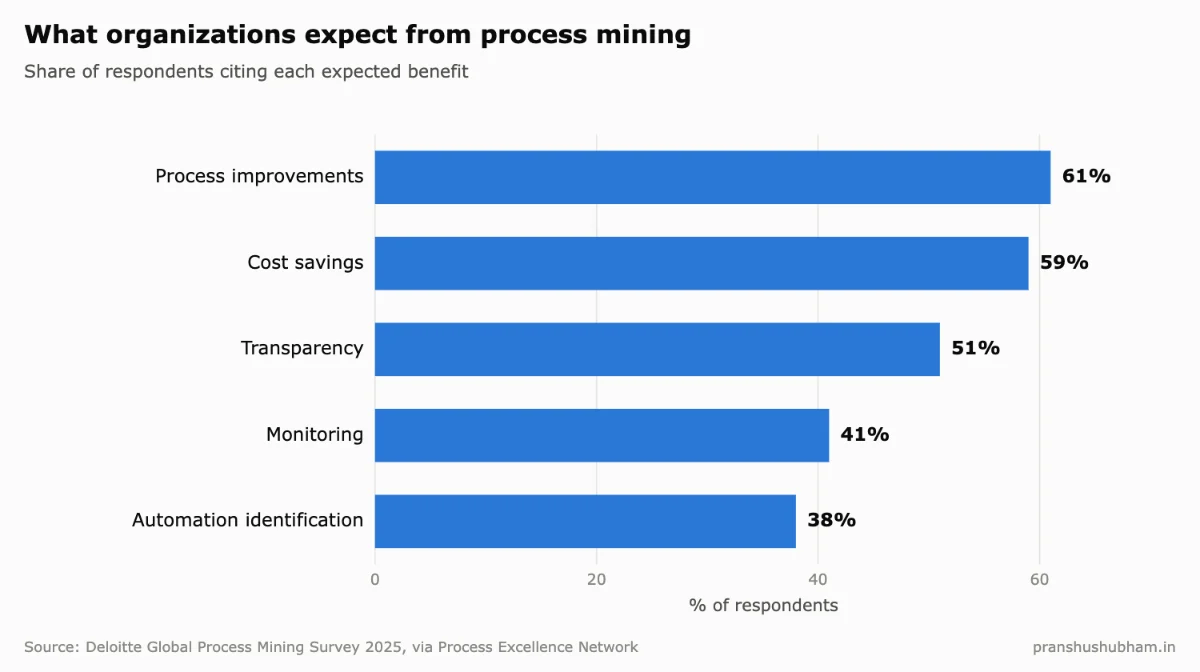
What organizations expect from process mining, according to the same survey: process improvements (61%), cost savings (59%, up from 46%), transparency (51%), monitoring (41%) and identifying automation opportunities (38%).
The market is growing fast too. Gartner figures reported by Process Excellence Network put process mining revenue at $871.6 million in 2023, forecast to pass $2 billion by 2028. Microsoft was named a Leader in Gartner's 2024 Magic Quadrant for Process Mining Platforms.
Case study: Microsoft's own support organization
Microsoft's Customer Experience & Success organization used process mining in Power Automate to investigate a bottleneck in "Just in Time" access approvals for backup support engineers. By filtering requests by type, the team found which ones could be approved automatically.
According to Microsoft's published account:
- It could automate up to 54,000 approval requests a year
- That saves 13,200 hours of wait time
- The solution was deployed in one week, analyzing over 14 GB of event log data
This isn't an ERP process, but the pattern carries straight over to ERP. Approval workflows on purchase requisitions, vendor invoices and journals have exactly the same kind of bottleneck.
Process mining with Dynamics 365
Power Automate Process Mining can analyze data from Dynamics 365 finance and operations apps. Supply Chain Management version 10.0.35 and later includes a ready-made Warehouse material movement analysis template. Microsoft's guidance is to load less than 25 months of data and keep the process under about 4 million events.
Good first targets in D365:
- Procure-to-pay: requisition to purchase order to receipt to invoice to payment. Look for invoice rework and approval delays.
- Order-to-cash: order to shipment to invoice to cash. Look for order changes, credit holds and late shipments.
- Warehouse: material movements between locations. Look for double handling.
Five steps to your first process mining project
- Pick one process and one question, such as "Why do vendor invoices take 12 days to approve?"
- Get the event data: record IDs, activity names and timestamps from D365.
- Compare actual flow with the designed flow. Look for loops, rework and long waits.
- Fix one thing, such as an approval rule, a missing master data field or a workflow step.
- Re-run the analysis to show the improvement in days or hours.
Frequently asked questions
What is process mining? It's a technique that reconstructs how a business process actually runs from system event logs, showing variations, bottlenecks and rework.
Does Power Automate Process Mining work with Dynamics 365? Yes. It can use Dynamics 365 data, and Supply Chain Management includes a built-in warehouse material movement template.
The takeaway
Process mining turns opinions about your processes into evidence. Start with one process, one question and one fix, and let the data make the case for the next one.
I'm Pranshu Shubham, a D365 F&O Solution Architect with a Lean Six Sigma Green Belt. If you want to see how your Dynamics 365 processes really run, get in touch.
Keep learning on this site
- Process mapping with BPMN 2.0 for business analysts (free e-book)
- SIPOC process improvement worksheet (free template)
- Power Platform for Dynamics 365 consultants (free e-book)
- Business Analysis for ERP and Digital Projects (course)
Sources
- Deloitte, Global Process Mining Survey 2025
- Process Excellence Network, 6 takeaways from Deloitte's survey
- Process Excellence Network, Gartner 2025 Magic Quadrant highlights
- Microsoft Power Platform blog, Microsoft named a Leader (2024)
- Microsoft Power Platform blog, Microsoft CE&S and process mining (2024)
- Microsoft Learn, Warehouse material movement analysis