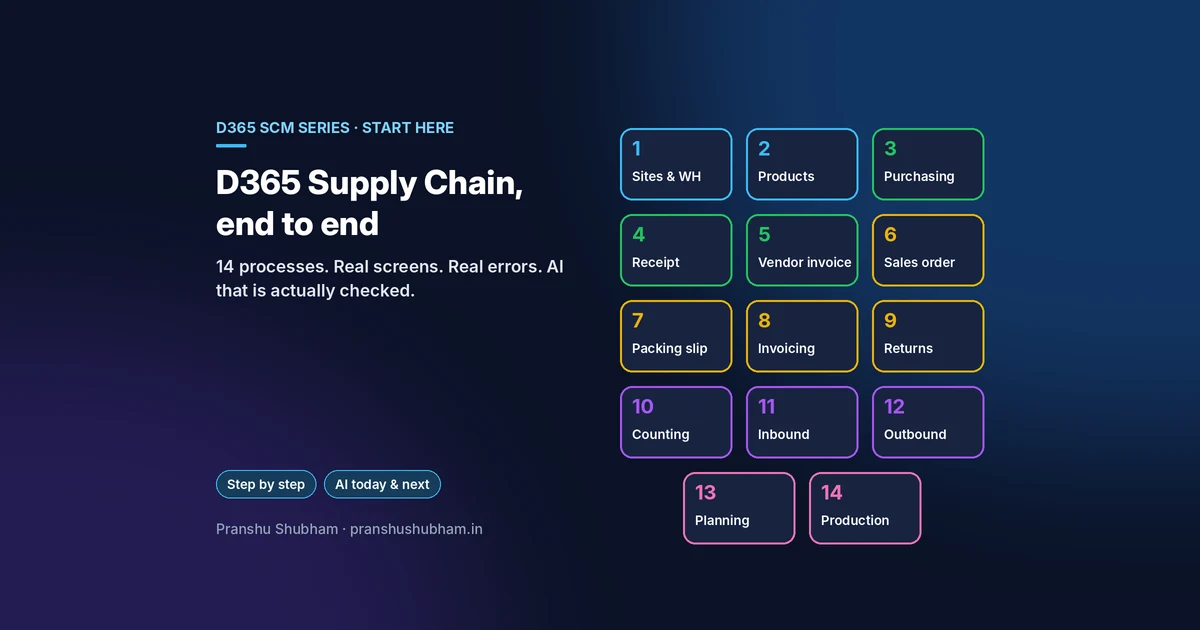
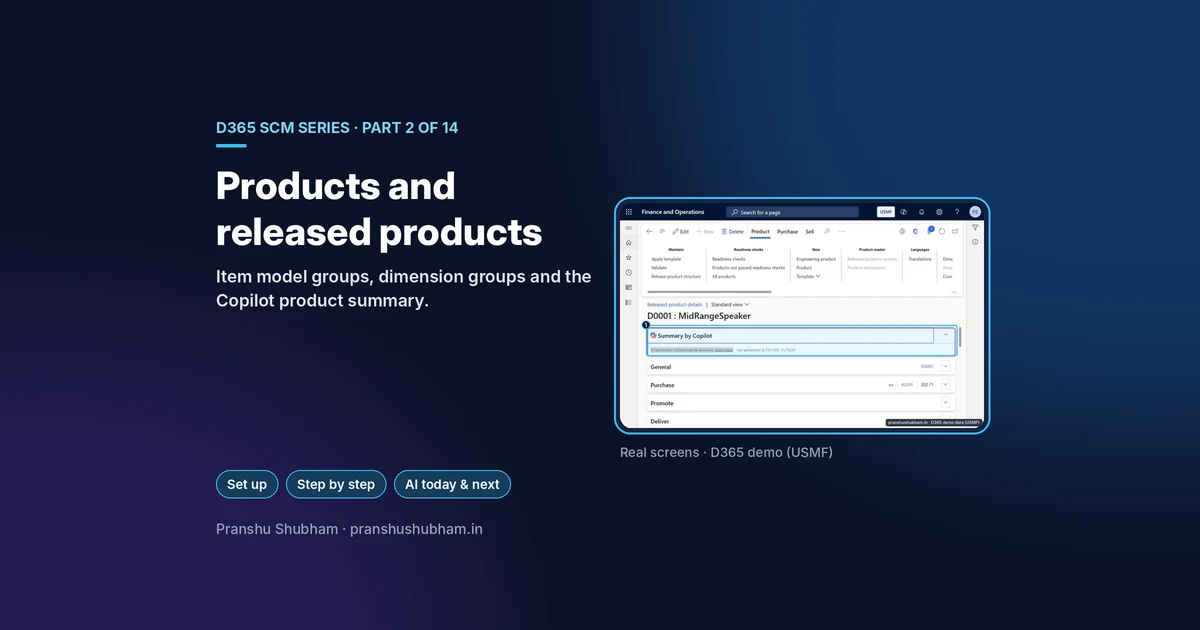
D365 SCM Foundations: Sites, Warehouses and Inventory Dimensions, Step by Step
Where does stock live, and how do you track it? Sites, warehouses and dimension groups in D365, explained with real screens.
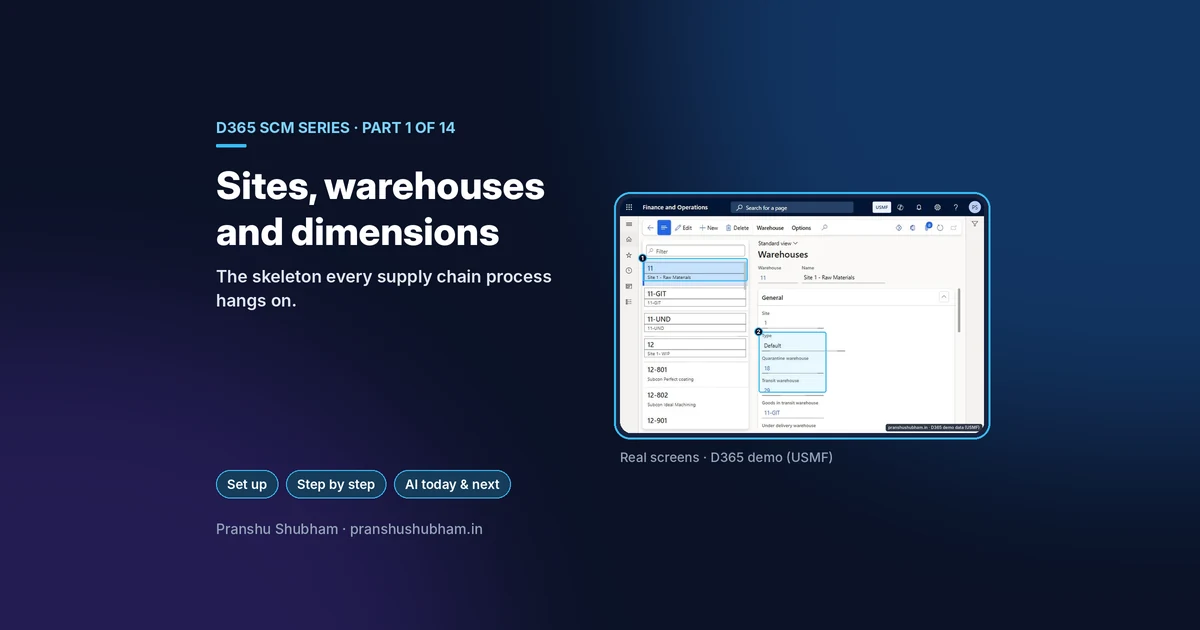
Part 1 of 14 in my free course D365 Supply Chain, end to end. All screenshots come from a Microsoft demo environment with standard Contoso data (company USMF). New here? Start with the series home.
Before you buy, sell or make anything in Dynamics 365, the system needs to know two things: where your stock lives, and how you want to track it. Get this wrong and every later process feels broken. Get it right and the rest of the series just works.
In this article we set up the skeleton of our running example: the Contoso demo company USMF, its sites, its warehouses, and the storage and tracking dimension groups that decide how stock is recorded.
1. The story
Who this section is for: Freshers, customers and anyone new to D365
Think of a retail chain. The company owns everything. It has a few buildings (sites). Each building has rooms (warehouses). Each room has shelves (locations). And some products need extra labels, like a batch number on medicine or a serial number on a laptop.
Dynamics 365 models exactly that. Once it's set up, every purchase, sale and count automatically knows which building, room and shelf it belongs to.
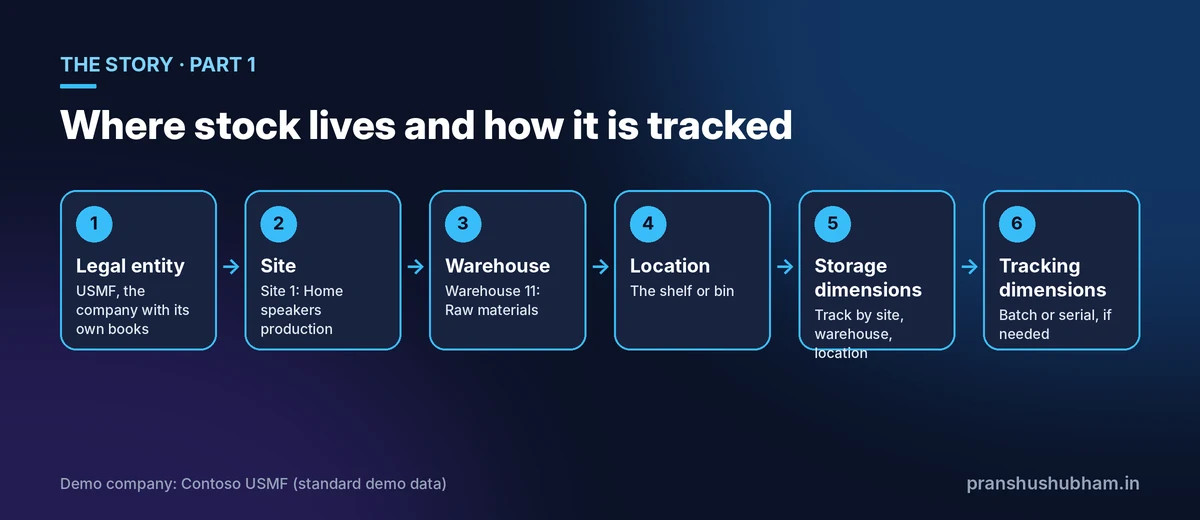
Glossary. Legal entity: a company with its own books (USMF). Site: a physical place, often with its own costing and planning. Warehouse: a stock-holding area within a site. Location: a bin or shelf in a warehouse. Inventory dimension: a field that tracks stock by place or identity.
2. Step by step in D365
Who this section is for: End users and functional consultants
Step 1: Check the sites
Go to Inventory management > Setup > Inventory breakdown > Sites. In USMF you'll see several sites. Site 1 is "Home speakers production", and it's the one we use all through the series.
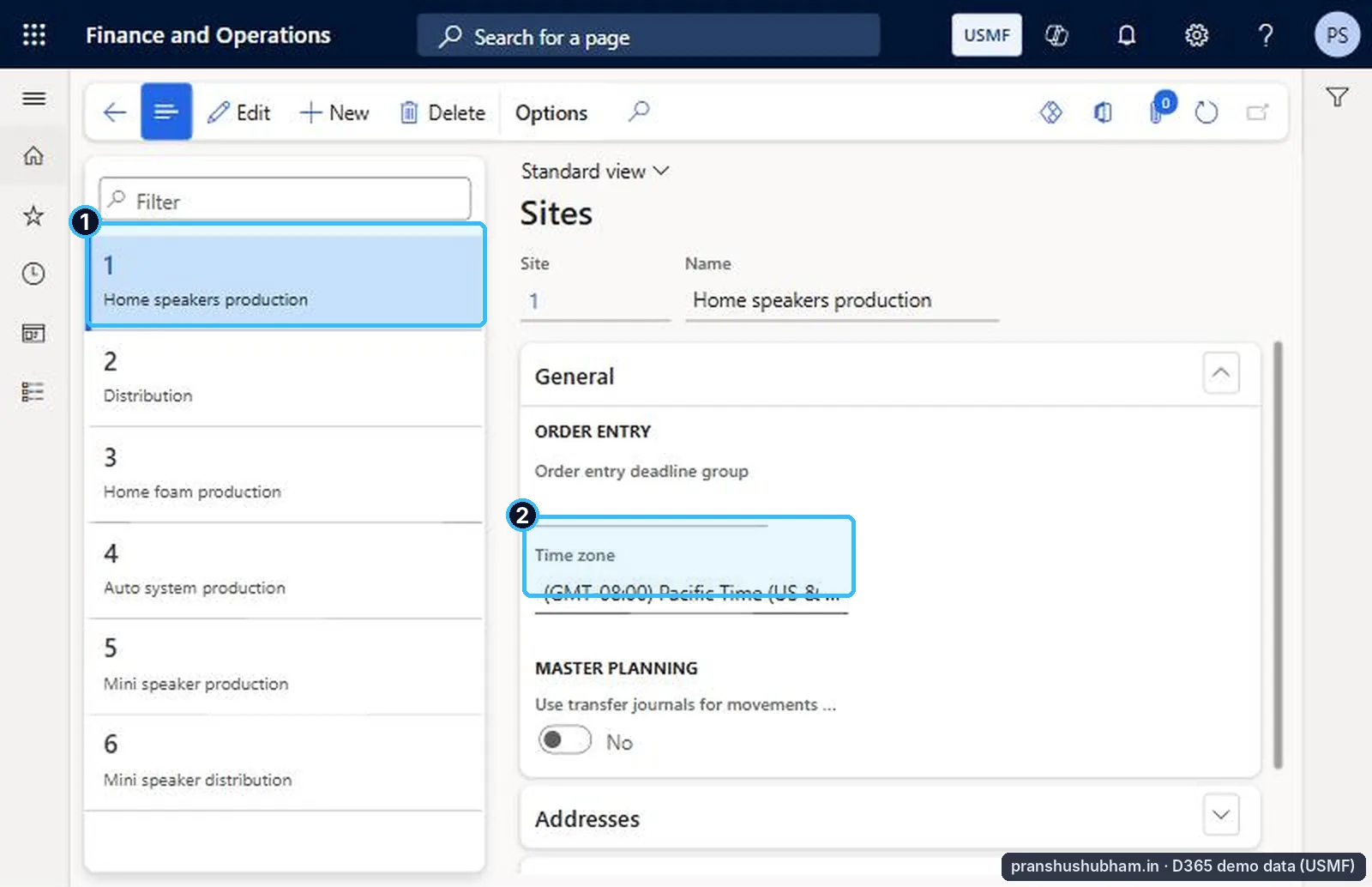
(1) Site 1 is our home site. (2) Each site carries its own time zone and order-entry settings.
What to check on a site:
- Name and time zone. The time zone affects order-entry deadlines and delivery date calculations.
- Financial dimension link. Many companies link each site to a financial dimension so that every posting carries the site automatically.
Step 2: Check the warehouses
Go to Inventory management > Setup > Inventory breakdown > Warehouses. Warehouse 11 ("Site 1 - Raw Materials") is where our item M0004 is bought and sold in later parts.
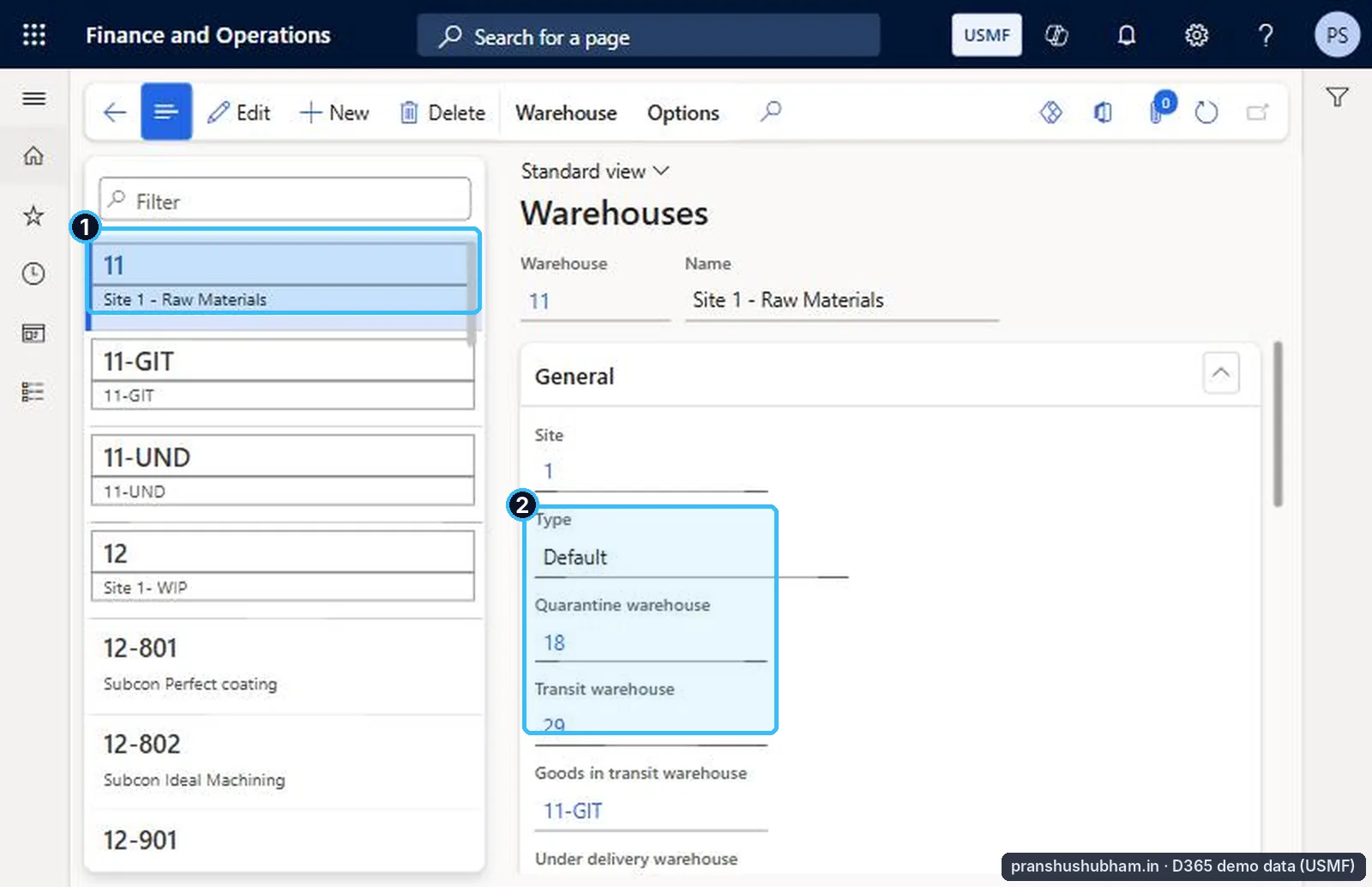
(1) Warehouse 11 belongs to site 1. (2) Type, quarantine warehouse and transit warehouse are set here.
The fields that cause most surprises later:
- Type: Default, Quarantine or Transit. Quarantine warehouses hold stock that isn't available yet.
- Quarantine warehouse: where quality-blocked stock goes.
- Transit warehouse: used by transfer orders while goods are on the road.
- Use warehouse management processes: on the Warehouse tab. This one switch decides whether the warehouse uses the advanced warehouse (WMS) flows we cover in Parts 11 and 12.
Step 3: Look at storage dimension groups
Go to Product information management > Setup > Dimension and variant groups > Storage dimension groups. A storage dimension group answers the question "down to what level do we track where stock is?"
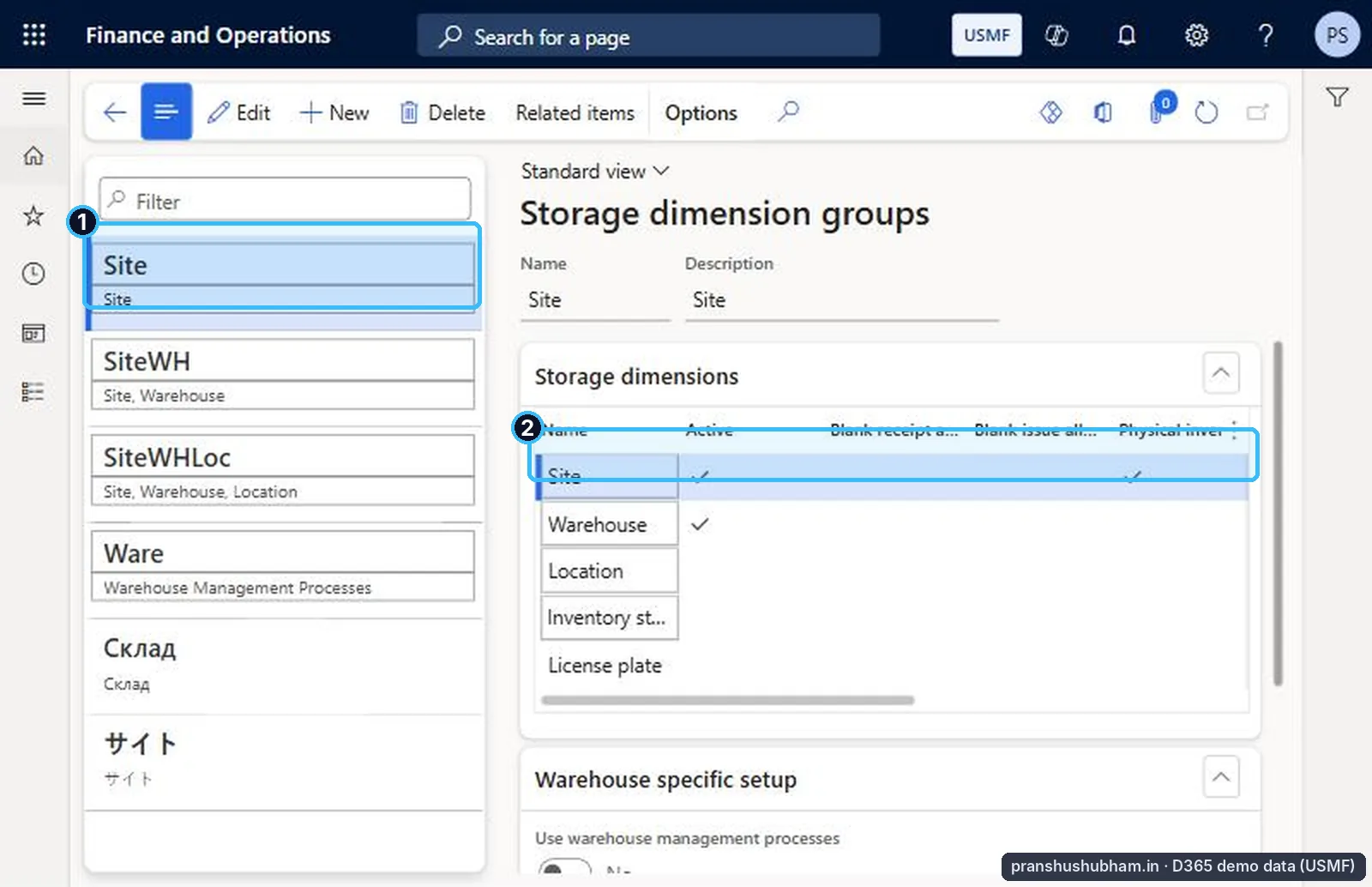
(1) The group named Site tracks stock by site only. (2) The Active column shows which dimensions are switched on.
Common groups in the demo data:
- Site: only site is tracked. Simple, but you lose warehouse-level visibility.
- SiteWH: site and warehouse.
- SiteWHLoc: site, warehouse and location. This is what most real warehouses need.
- Ware: warehouse management processes. Adds inventory status and license plate, which WMS needs.
Step 4: Look at tracking dimension groups
Go to Product information management > Setup > Dimension and variant groups > Tracking dimension groups. Tracking answers "do we need to know which exact unit or batch this is?"
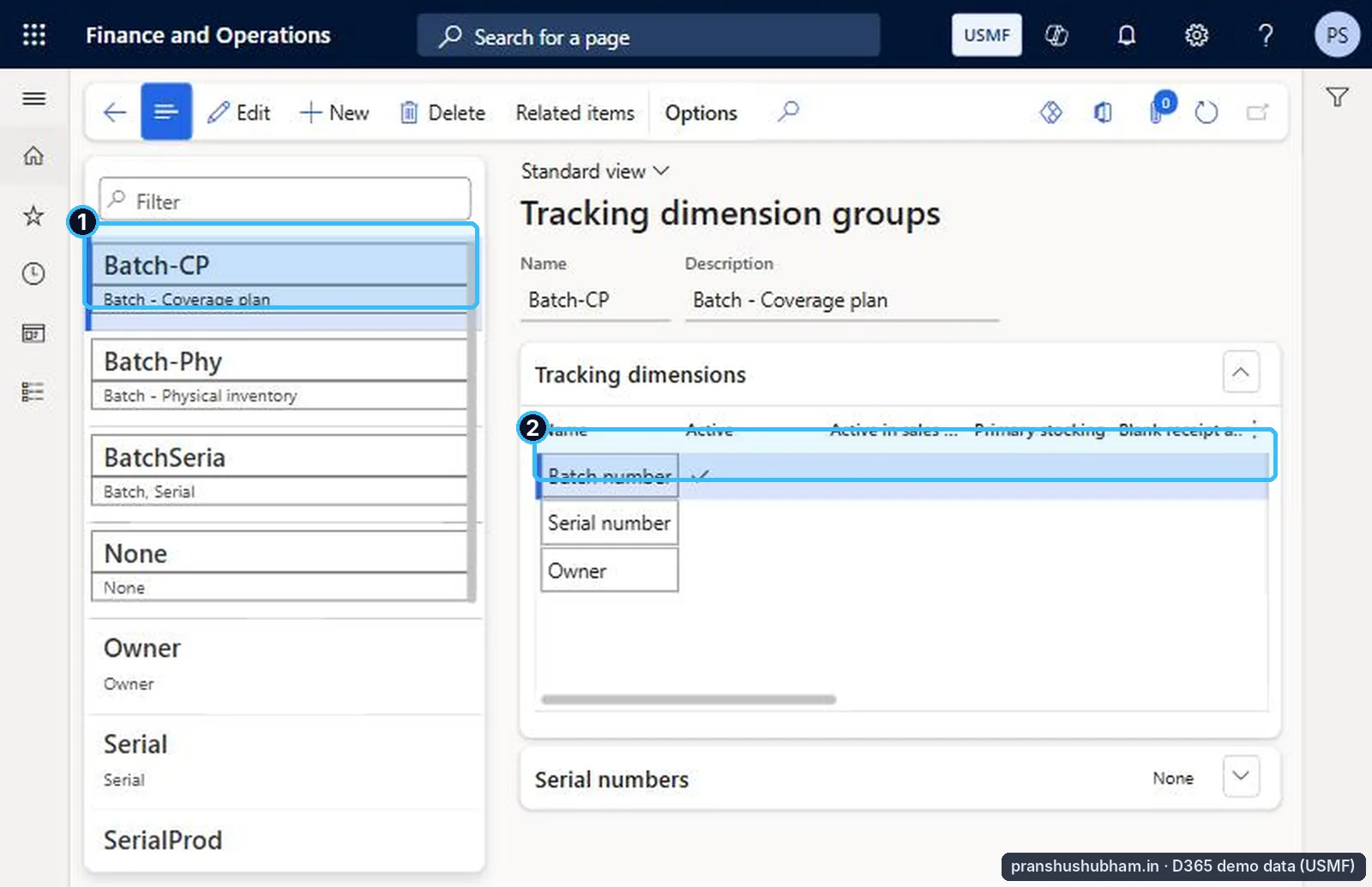
(1) Batch-CP tracks batches for coverage planning. (2) Batch number is active; serial number is not.
Typical choices:
- None: most finished goods and spare parts.
- Batch: food, chemicals and pharma, where you need recalls and expiry dates.
- Serial: electronics and equipment, where every unit is unique.
Step 5: Decide, then don't change it
Dimension groups are assigned to each released product (Part 2). Once an item has transactions, changing its dimension groups is painful, so decide early and document why.
3. Behind the scenes
Who this section is for: Working professionals and functional consultants
- Every inventory record carries an inventory dimension combination. Site, warehouse, location, batch, serial, status and license plate are stored together. Two units are "the same stock" only when every active dimension matches.
- Physical and financial inventory can be tracked at different levels. In a storage dimension group, the "Physical inventory" and "Financial inventory" checkboxes decide whether on-hand and cost are kept per site, per warehouse, or both. Costing per site is common; costing per warehouse is rarer.
- Location-controlled warehouses need a location on every transaction. I hit this myself in Part 10: the counting journal refused to post with "Inventory dimension Location must be specified". The warehouse used location tracking, and my line didn't have one.
- "Use warehouse management processes" can't be switched later. Microsoft's costing FAQ notes that once a storage dimension group is saved, this option can't be changed. If you might use WMS one day, decide now.
- Cost can't be tracked per location. The Financial inventory option isn't available for the Location dimension; Site is always financially tracked.
- Mandatory and blank receipt/issue settings decide whether users must enter a dimension, or may leave it blank and fill it later.
Common mistakes and fixes:
- "I can't see stock per warehouse." The item uses the Site group. Change the group before go-live, or create a new item.
- "Every posting asks for a location." The warehouse is location-controlled. Set default receipt and issue locations on the warehouse, or turn on blank issue where it makes sense.
- "WMS options are greyed out." The item needs a storage dimension group with "Use warehouse management processes" turned on.
4. Under the hood
Who this section is for: Technical consultants
- Main tables: InventSite (sites), InventLocation (warehouses), WMSLocation (locations), InventDim (every dimension combination), EcoResStorageDimensionGroup and EcoResTrackingDimensionGroup.
- Data entities: Sites, Warehouses and Warehouse locations entities are used in data migration templates. In my demo I read warehouse locations through OData with
/data/WarehouseLocations. - InventDim is shared by everything. It's referenced by inventory transactions, on-hand (InventSum) and order lines. Never write to it directly. Use the standard
InventDim::findOrCreatepattern in X++. - Extensions: add new inventory dimensions through the supported dimension extension framework (there are reserved dimension fields for this), not by adding fields to InventDim.
5. AI in this process: today and next
Who this section is for: Everyone
Setup screens don't get much AI yet, and that's fine: this is configuration, not daily work. What's useful today:
- Immersive Home with agent activity (Production-ready preview). The demo environment opened on a new home page with an "Agent activity" panel. It's where you'll see what agents did on your behalf. It requires the "Immersive Home" and "Agent management" features.
- Copilot summaries elsewhere depend on good setup (Available). Product and order summaries (Parts 2, 3 and 6) report availability by warehouse. If your dimensions are wrong, the summary is confidently wrong too.
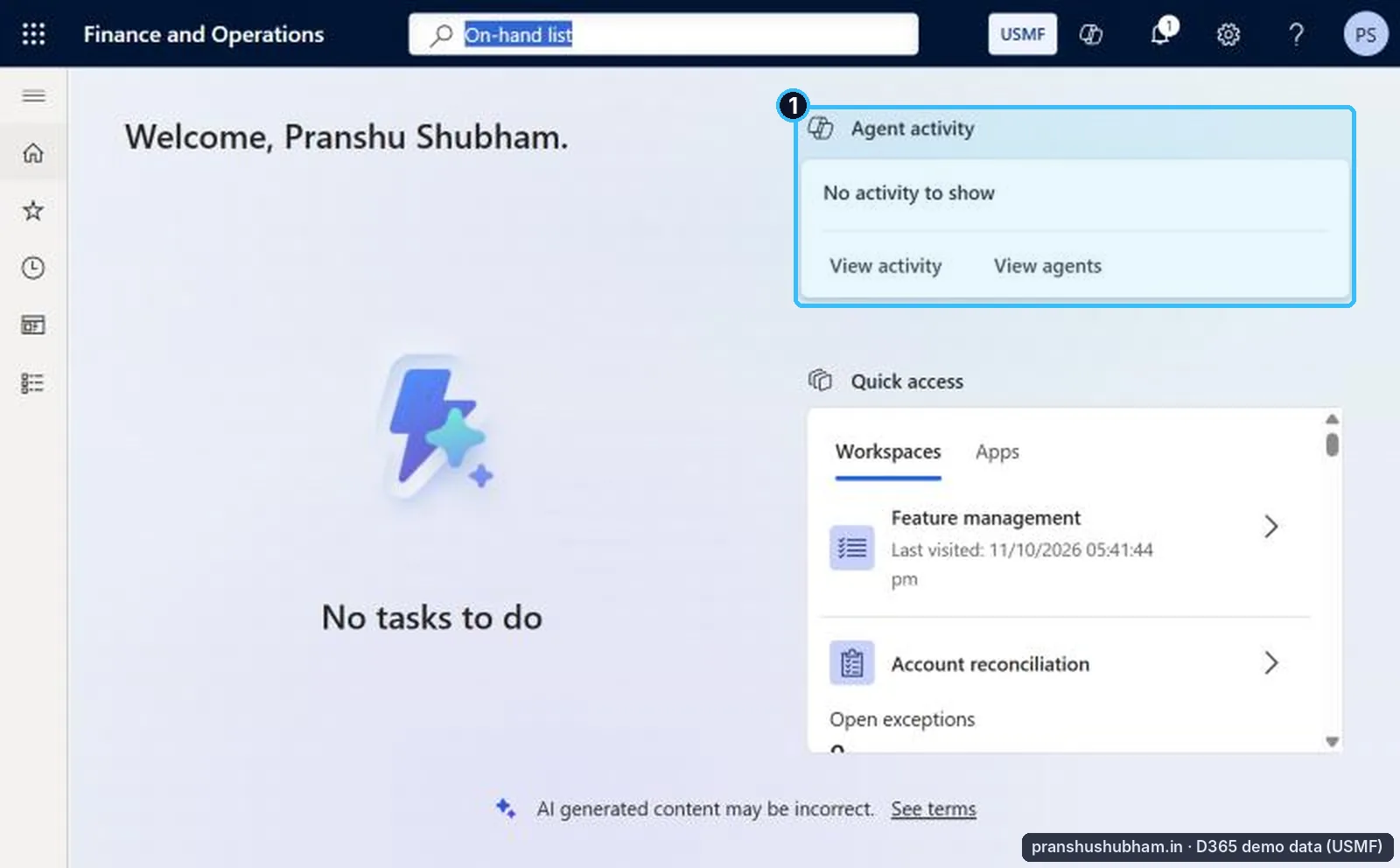
(1) Agent activity: where agents report what they've done. Empty here because no agents were running.
My view on what's next (opinion, not announced): setup is a good fit for agent-assisted configuration checks, for example an agent that reviews dimension groups against your warehouses and flags mismatches before go-live.
UAT test scenarios
- Create a purchase order line for warehouse 11 without a location. Expected: the system uses the default receipt location, or asks for one if the warehouse is location-controlled.
- Try to post an inventory movement for an item using the SiteWHLoc group without a location. Expected: posting error that names the missing dimension.
- Check on-hand for an item at site and warehouse level. Expected: quantities add up across warehouses.
- Assign a batch-tracked item and receive it without a batch. Expected: the system requires the batch, depending on the group's settings.
FAQ
Can I change a storage dimension group later? According to Microsoft's inventory costing FAQ, only when the item's on-hand is zero and no transactions have an open value. There's also a "Change storage dimension group for items" tool for moving items to WMS groups. Either way, plan it like a mini-migration.
Site or warehouse for costing? Most companies cost per site. Cost per warehouse only when warehouses really have different costs.
Do I need locations if I don't use WMS? Not always. Locations without WMS are useful for "where is it on the shelf" but add data entry.
Keep going in the series
- Series home: D365 Supply Chain, end to end
- Next: Part 2: Products and released products
Sources
- Inventory costing FAQ: dimension groups (Microsoft Learn)
- Get started with inventory management (Microsoft Learn training)
- Agent management (Microsoft Learn)
- Immersive Home (Microsoft Learn)
Have a question about this process, or seeing something different in your version? Get in touch. I read every message.