Dynamics 365 F&O Data Migration: A Checklist from Strategy to Cutover
Data migration delays more ERP go-lives than almost anything else. A practical checklist for Dynamics 365 F&O, from scoping and ownership to mock loads, reconciliation and cutover.
Ask experienced ERP project managers what delayed their last go-live, and data migration comes up again and again. The technical load is rarely the problem. The problems are late starts, unclear ownership, dirty data and too few rehearsals.
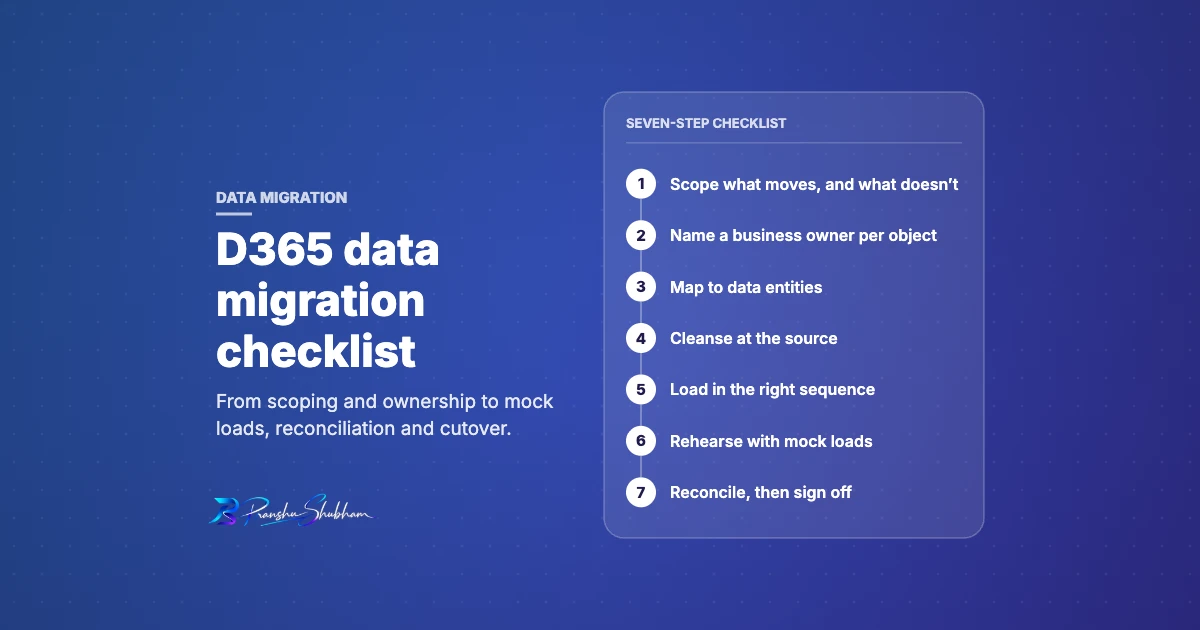
Dynamics 365 Finance and Supply Chain Management gives you strong tools for migration, especially the Data management framework with its data entities, data packages and templates. Here is the checklist I use to make migration predictable.
1. Scope what moves, and what does not
- List every data object: configuration, master data, open transactions and opening balances.
- Decide what will not migrate, such as closed history, and how users will access it.
- Write a selection rule for each object, for example "active customers with activity in the last 24 months".
Migrating everything "just in case" multiplies cleansing, load time and testing.
2. Name a business owner for every object
IT can move data; only the business can say it is correct. Each object needs a named owner who approves mappings, cleansing rules and reconciliation results.
3. Map to data entities
For each object, name the target data entity as it appears in the Data management workspace. Generate the entity's mapping or template to get the exact field names. For every target field, record the source, transformation rule, default and any value mapping, such as old payment terms to new codes. Flag mandatory fields with no source early.
4. Cleanse at the source
Fix duplicates, missing data and outdated records in the legacy system before extraction where you can. Cleansing inside spreadsheets during cutover weekend is a recipe for errors.
5. Load in the right sequence
Parents before children:
- Legal entity setup and reference data
- Parties and master data: customers, vendors, products
- Open transactions: open orders, open invoices, on-hand inventory
- Opening balances
Use data packages so each environment is loaded the same way every time.
6. Rehearse with mock loads
Plan several mock migrations before go-live. Each one should run the full sequence, record counts and durations, and log the top errors. Use the timings from the final rehearsal to size your cutover window.
7. Reconcile, then sign off
For every object, compare record counts and key totals between source and target: number of customers, open AR balance, inventory value. The business owner signs off each reconciliation. No sign-off, no go-live.
8. Plan the cutover
Agree the data freeze, the order of final loads, who verifies each step and the point of no return. Write it into the cutover runbook with owners and timings.
Common pitfalls
- Starting migration weeks before go-live instead of during design.
- No business owner for key objects.
- Skipping reconciliation because "the load succeeded".
- Too few mock loads to know the real cutover duration.
Frequently asked questions
When should data migration start? During design, alongside the solution, not after build.
How many mock loads do I need? Enough to run the full sequence cleanly and predict timings. Many programs plan at least two or three full rehearsals.
Should we migrate historical transactions? Usually not. Migrate open items and balances, and keep history accessible in an archive or reporting store.
Free tools
Download the Data Migration Plan and Field Mapping Workbook, the e-book Data Migration for Dynamics 365 F&O: From Strategy to Cutover and the Cutover Runbook template. The video Data Migration Pitfalls to Avoid is a two-minute refresher.