Building AI Agents for Dynamics 365 with MCP: Lessons from the Field
What I learned designing Sales Order, Purchase Order and Asset Management agents on Dynamics 365 with the Model Context Protocol: where to start, how security works and how to roll agents out safely.
AI agents in ERP moved from slides to working software in 2025 and 2026. The piece that made it practical for Dynamics 365 Finance and Supply Chain Management is the Dynamics 365 ERP MCP server. It lets an AI agent work with finance and operations data and business logic through the Model Context Protocol (MCP), an open standard for connecting agents to systems.
I designed an MCP-based agent suite on Dynamics 365: a Sales Order Agent, a Purchase Order Agent and an Asset Management Agent. I also presented this work at Microsoft Copilot Summit in San Diego. Here are the lessons that matter most if you are planning your first agent.
What MCP changes
Before MCP, every agent needed custom connectors and custom code for each system. MCP gives agents a standard way to discover tools and call them. The Dynamics 365 ERP MCP server exposes F&O data, forms and actions to compatible agent clients, such as Microsoft Copilot Studio and Visual Studio Code.
Two practical points to know:
- An earlier "static" ERP MCP server with 13 fixed tools was scheduled for retirement on October 1, 2026. Build on the current dynamic server.
- Administrators control which agent platforms may connect, through the Allowed MCP clients page. Other platforms need an app registration in Microsoft Entra ID.
Lesson 1: Start with a question people ask every day
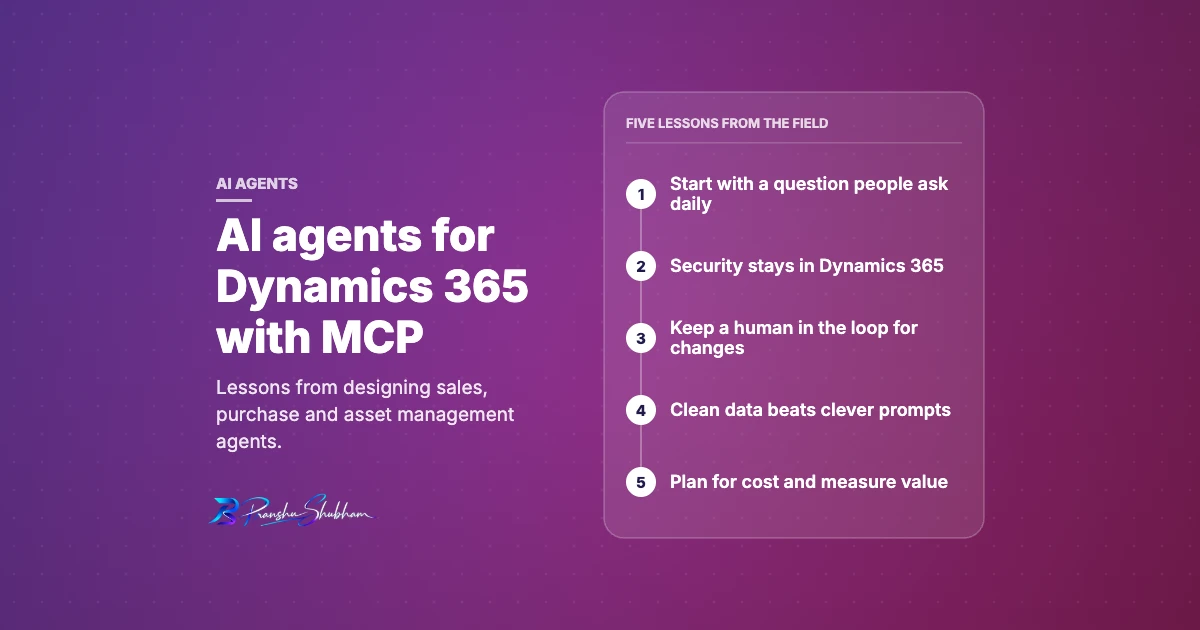
The best first agent answers a question that lands on someone's desk many times a day. For sales orders, that was "Where is my order and when will it ship?" For purchasing: "Has the vendor confirmed this PO, and is it late?" For assets: "What is the maintenance history and the next planned job?"
These are high-volume, low-risk, read-mostly questions. They deliver value quickly and build trust before an agent ever changes data.
Lesson 2: Security stays in Dynamics 365
This is the point that reassures IT and audit teams. The MCP server does not decide what an agent may see. Finance and operations security does: roles, duties, privileges, record-level security and data security policies all apply. The agent works with the permissions of the user it acts for.
Some administrative forms are excluded from MCP access altogether, including security configuration, user role assignment, users, Entra ID applications and Feature management. Design your agent's purpose around business tasks, not administration.
Lesson 3: Keep a human in the loop for anything that changes data
Reading is safe to automate. Writing needs care. When an agent proposes a change, such as updating a confirmed delivery date on a purchase order, let a person review and approve it at first. Track how often the suggestion is accepted unchanged. Only automate further when acceptance is consistently high.
Lesson 4: Clean data beats clever prompts
Agents expose data quality problems quickly. Missing vendor contacts, inconsistent item descriptions and stale delivery dates all produce poor answers. Before a pilot, check the master data the agent will rely on and fix the worst gaps.
Lesson 5: Plan for cost and measure value
Microsoft documents two cost elements for MCP-based agents: the agent orchestration (the language model) and the MCP server execution. Estimate volumes before rollout. Then measure value in plain terms: queries answered without escalation, minutes saved per query and user satisfaction.
A simple rollout plan
- Pick one question and one user group.
- Confirm the security roles those users hold in F&O.
- Build the agent in Copilot Studio with the ERP MCP server as a tool.
- Test with real questions and real roles in a sandbox, not as an administrator.
- Pilot for two to four weeks, log answers and fix data issues.
- Expand to the next question only after the first one works well.
Frequently asked questions
Do I need to write code to build an MCP agent for Dynamics 365? Not necessarily. Copilot Studio lets you build agents with low code. Developers can use Visual Studio Code for more advanced scenarios.
Can agents see data a user cannot? No. Finance and operations security enforces authorization for every request.
Is the ERP MCP server production-ready? Features and labels change often. Check Microsoft Learn for the current status of each capability before you plan a production rollout.
Learn to build one
My hands-on workshop Build Your First AI Agent for Dynamics 365 with MCP walks through this process step by step. See the case study MCP AI Agents for Dynamics 365, watch the short video The Dynamics 365 ERP MCP Server, Explained, or download the free e-book Copilot and AI Agents in Dynamics 365 F&O.